In this video, I am sharing with you a vector path creation technique to speed up the process of creating curved paths by adding intermediate anchor points after your corners have been created. I used to create my anchor points as I was following the curve of the shape I was tracing. Instead, with this technique the anchor points are added to your vector path after your corners have been created, allowing Illustrator to approximate the length of the curve handles for you with much greater accuracy the first time around.
illustration
WMMS Buzzard Logo: Mascot Character Art Origins
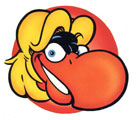
If you grew up in Cleveland in the late 1970’s or early 1980’s, you saw the WMMS Buzzard mascot cartoon character everywhere. Or maybe just if you were just a young art geek like myself…
The WMMS buzzard mascot and all the related artwork was a huge influence on me as a young artist. I loved the style, the line work, the attitude of the character. I found myself drawing it over and over to unlock the secrets of it’s design.
David Helton is the illustrator/artist who created that iconic image. I was thinking about this recently and found an article by the Cleveland Plain Dealer regarding the origins of the creation of the WMMS Buzzard, an excerpt from the book The Buzzard: Inside the Glory Days of WMMS and Cleveland Rock Radio.
Flattening Transparency Properly When Using Layer Appearances in Adobe Illustrator
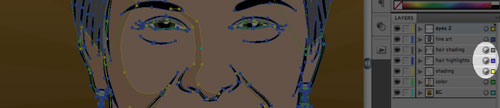
For longer than I can remember, I have been flustered with the Flatten Transparency feature in Adobe Illustrator CS3 and CS4. Very often I use the excellent Layer Targeting feature introduced into recent versions of Adobe Illustrator, however I found that when using the Flatten Transparency feature, it seemed to ignore the attributes of the Targeting, which forced me to find lengthy workarounds to solve this. Turns out there was an approach to solving this that I had overlooked…
Custom Avatar Illustrations: Positively Cleveland
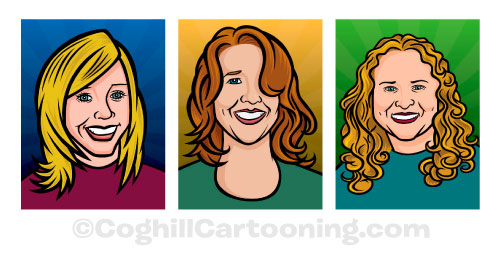
I recently finished up the first round of a series of custom avatar illustrations for the Cleveland, Ohio convention and visitor’s bureau Positively Cleveland. The initial set of avatar illustrations were for the “web women” of Positively Cleveland — the main online team for their website.
Working For MAD Magazine: Insider Tips
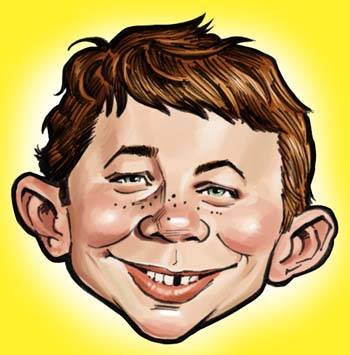

Cartoonist and regular MAD Magazine artist Tom Richmond just posted some insider tips on working for MAD Magazine over at his excellent blog.
Sorry to say, there’s no secret handshake or magic words, but the good news is that it’s at least easier nowadays to get your work in the mag than it was back in the 70’s & 80’s — MAD has opened up to a wider range of styles as well as a wider pool of freelancers that they work with.
And to quote Tom on the likelihood of your artwork getting seen:
Trust me when I say that anyone who sends work into MAD will get the proper attention paid to it, usually by art director Sam Viviano himself.
That’s good to hear, although Vivano’s artwork is phenomenal—it’s gotta be nerve-wracking to submit to him. I remember his work way back in my Scholastic Book Club days, in Dynamite Magazine. Now that’s going waaaay back!
Santa’s Helper
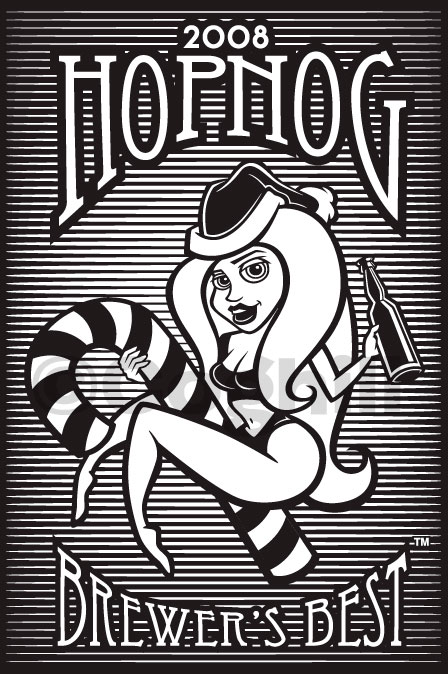
I recently created this pinup Santa girl illustration for a local company that produces home-brewing beer kits. The client was developing a special holiday/Christmas blend, and wanted to also include an incentive in the package — in this case it was to be an empty 24 oz. beer bottle with a pinup Santa girl silkscreened on to the bottle.
Basket Case
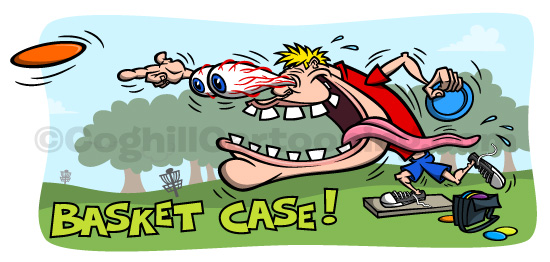
“Basket Case” is a new t-shirt illustration design I created featuring a wild-eyed disc golfer cartoon character in the Kustom Kulture/Odd Rods/Ed “Big Daddy” Roth style — complete with veined eyes bulging out of the head, a wild and crazy grin with an exaggerated, wagging tongue dragging out of the mouth.
Available for purchase — and customization — over at Zazzle. Click here to get yours now!
Monster Monday
I recently started up a group sketchblog, Monster Monday. As the title suggests, the idea is to create artwork of a new monster every Monday.
Monster Monday was inspired by other group sketchblogs such as Illustration Friday and Sugar Frosted Goodness, which I have participated in in the past. As opposed to a weekly generated theme, I wanted to work on something that I naturally loved to draw, and also have an ongoing theme. I know I get caught up in the day-to-day work and having to work on a new weekly theme while challenging, also resulted in my not participating on those sites.
I wanted to create something that had a regular theme of something that I already liked to draw. Monsters. Monsters by their nature inspire creativity since they don’t exist. You can make whatever you want. For me, it was about making the weekly project fun and as pressure-free as possible.
Zen Of The Pen

Sharon Steuer’s free “Zen Of The Pen” PDF is an excellent introduction to the inner mysteries of the vector pen tool in Adobe Illustrator.
Update: Sharon has kindly asked me to remove the link to that PDF, she’s working on an updated version. I highly suggested you head over to her website and sign up for updates. Sharon is the mastermind behind the excellent Illustrator WOW! vector tutorial books for Adobe Illustrator.
The pen tool is one of those obscure graphics programs tools that everyone tries once, and then gets so confused by that they never get any further with it. And understandably. It looks like a fountain pen, but it doesn’t act like one. Click and “draw”, you get weird “handles” sprouting out from a dot. Ignore that, and some annoying rubber band line gets stuck to your pen tip, all distorted out of — not even a straight line! Right there most Illustrator users think to themselves “this program sucks”.
But they couldn’t be further from the truth…