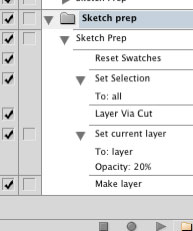
 Here’s a freebie for all my loyal readers: a free Photoshop action I created myself to eliminate repetitive tasks I (used to) go through each time I scanned in a new sketch for further work in Photoshop. Boost your productivity with this free Photoshop download.
My custom Sketch Prep action — as you can see from the screenshot — simply resets your color swatches back to the default black/white, does a Select All on the background layer, cuts the image to a new layer (leaving you with a flat white background layer) and then bumps the opacity of the newly-created layer down to 20%. It then adds a fresh new blank layer for you to start drawing in.


 Just stumbled across these handy – and free – Photoshop plugins which should be a huge time-saver for comic artists who ink & color their pages in Photoshop. A process also known as ‘flatting’.
 If you are like me and you are wondering why in the world Adobe decided to eliminate the previous functionality of the Paint Bucket tool in Illustrator CS3 with the introduction of the new ‘Live Paint Bucket’ tool, fear not — a solution is at hand.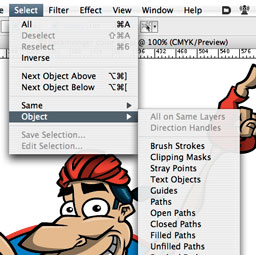
 A plugin that I always forget to tout, since the functionality it provides seems so intrinsic to Illustrator once it’s installed, I forget it’s a third-party enhancement.